

Neural4D can generate a Quad mesh from either a text prompt or a reference image. Start in Text to 3D when you want to describe the object, or use Image to 3D when you already have a visual reference.
You must choose Quad before submitting the generation task. Triangle is the default. A Quad mesh is useful when the asset will move into an editing or animation workflow, while a Triangle mesh can retain dense surface detail efficiently.
| Setting | Quad mesh value | What it changes |
|---|---|---|
| Input | Text prompt or reference image | Defines the object Neural4D will generate. |
| Topology | Quad | Requests a quad based surface instead of the default Triangle topology. |
| Face count | 1,000 to 100,000 | Controls the target mesh density for downstream editing, animation, rendering, or fabrication. |
| Base mesh cost | 15 Credits | Generates the white base mesh without Texture or PBR. |
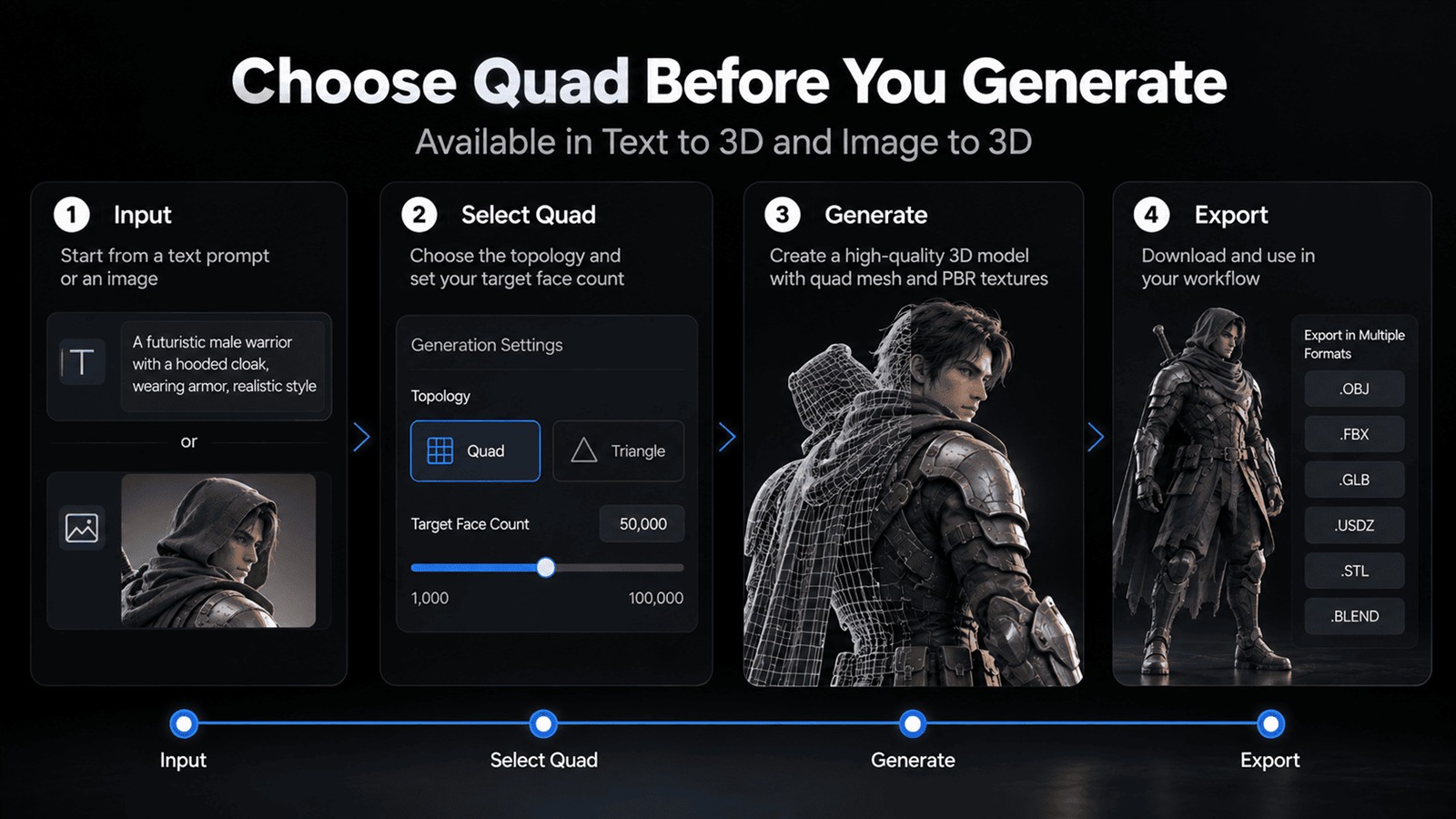
The illustration shows the complete workflow. Texture and PBR are optional additions with separate Credit costs.
Choose the input mode, topology, and face count before generation. The most important check is that Quad remains selected when you submit the task. If you leave the default unchanged, Neural4D generates Triangle topology.
Set the face count according to the next stage of production. A lower count can be easier to edit and quicker to handle on a modest workstation. A higher count can preserve more shape information for close views, detailed sculpting, or high resolution SLA printing. The available Quad range is 1,000 to 100,000 faces.
The resulting geometry is watertight, which supports workflows such as FDM or SLA printing after you perform the usual scale, wall thickness, and slicer checks for your machine and material.
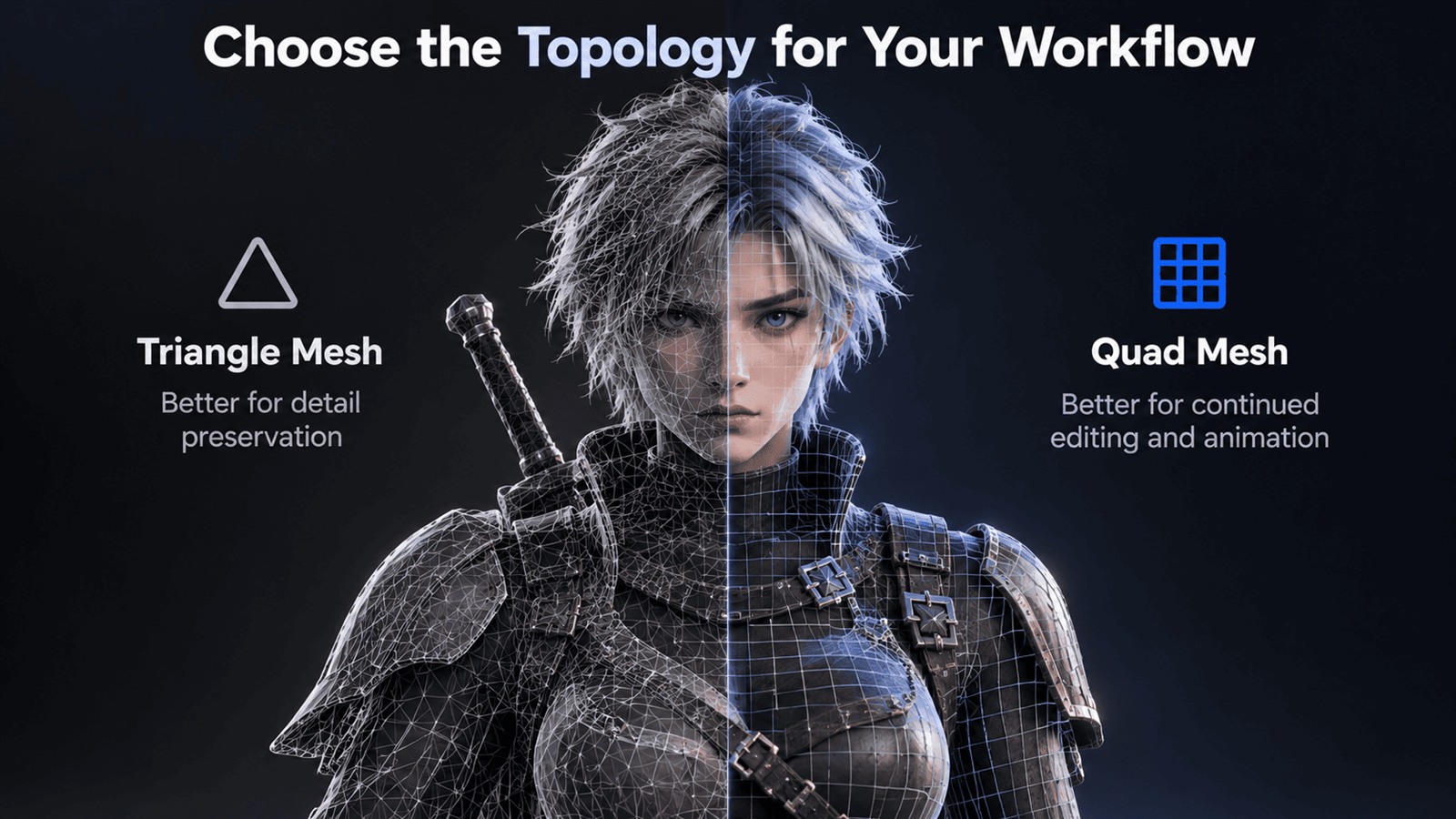
Quad and Triangle topology organize the same surface in different ways. Quad topology is commonly preferred when artists expect to continue editing edge flow, deform the model, or prepare it for animation. Triangle topology is the default option and can represent detailed surfaces efficiently.
Select the topology for the next tool and task, not only for appearance in the Neural4D viewer. A clean Quad layout can be easier to work with in modeling software, while a triangulated result may fit direct rendering, game engine, or print preparation workflows.
A Quad white base mesh uses 15 Credits. Texture and PBR are separate additions, so the total depends on which output stages you request.
| Output | Credits | Total Credits |
|---|---|---|
| Quad base mesh | 15 | 15 |
| Quad base mesh plus Texture | 15 plus 10 | 25 |
| Quad base mesh plus Texture plus PBR | 15 plus 10 plus 10 | 35 |
If you only need geometry for retouching, sculpting, or a print test, generate and evaluate the base mesh first. Add Texture and PBR only when the downstream use requires material information.
The default selection does not limit the result to .obj. Choose the format that matches your modeling application, engine, AR workflow, or slicer.
| Format | Typical use |
|---|---|
| .obj | A broadly supported geometry exchange format and the default choice in the download dialog. |
| .fbx | Transfer into many digital content creation tools and real time production pipelines. |
| .glb | A compact binary glTF asset for web viewers and real time applications. |
| .usdz | Asset delivery for USDZ compatible augmented reality workflows. |
| .stl | Geometry export for common FDM and SLA slicing workflows. |
| .blend | A Blender project format for continued editing in Blender. |
Open the downloaded asset in the destination application and confirm its scale, orientation, face density, normals, and material assignment. For animation or deformation, inspect edge flow around joints and other moving areas. For manufacturing, verify dimensions, wall thickness, support needs, and slicer settings before printing.
If the result is too dense for editing, generate another Quad version with a lower target face count. If the silhouette or small features need more geometry, increase the face count within the 100,000 face limit and compare the new result.
No. Triangle is the default topology, so you must select Quad before generating the model.
Yes. You can select Quad before generation in both Text to 3D and Image to 3D.
The Quad face count can be set from 1,000 to 100,000 faces.
A Quad base mesh uses 15 Credits. Texture adds 10 Credits and PBR adds 10 Credits, for a total of 35 Credits when both options are included.
No. The download dialog defaults to .obj, but you can also choose .fbx, .glb, .usdz, .stl, or .blend.
%22%3E%3Cg%3E%3Cpath%20d%3D%22M14.22126%2C2L16.980341%2C2L10.922359%2C8.365314L18%2C17.000000999999997L12.44585%2C17.000000999999997L8.0973005%2C11.7527676L3.1189604%2C17.000000999999997L0.35988006%2C17.000000999999997L6.7777414%2C10.1918821L0%2C2L5.6921029%2C2L9.6207924%2C6.7933583L14.22126%2C2ZM13.255582%2C15.505536L14.785071%2C15.505536L4.88837%2C3.4391145L3.2449181%2C3.4391145L13.255582%2C15.505536Z%22%20fill%3D%22%23ffffff%22%20fill-opacity%3D%221%22%20style%3D%22mix-blend-mode%3Apassthrough%22%2F%3E%3C%2Fg%3E%3C%2Fg%3E%3C%2Fsvg%3E)
%22%3E%3Cg%3E%3Cg%3E%3Cpath%20d%3D%22M17.776579953674315%2C4.238972914697266C18.530987953674316%2C2.8357112146972656%2C17.668764953674316%2C1.0000038146972656%2C17.668764953674316%2C1.0000038146972656C15.728984953674317%2C1.0000038146972656%2C14.327326953674316%2C2.2953194146972655%2C14.327326953674316%2C2.2953194146972655C13.572919953674317%2C1.8635447646972656%2C11.093512553674316%2C1.8635447646972656%2C11.093512553674316%2C1.8635447646972656C11.093512553674316%2C1.8635447646972656%2C8.614197253674316%2C1.8635447646972656%2C7.859790753674316%2C2.2953194146972655C7.859790753674316%2C2.2953194146972655%2C6.4587898536743165%2C1.0000038146972656%2C4.518257353674317%2C1.0000038146972656C4.518257353674317%2C1.0000038146972656%2C3.6561312536743165%2C2.8350313146972654%2C4.410538953674316%2C4.238972914697266C4.410538953674316%2C4.238972914697266%2C2.6862124236743163%2C5.858135714697266%2C3.332825653674316%2C9.312969214697265C3.9408041536743164%2C12.559363814697265%2C6.782133553674316%2C13.415479814697266%2C8.614197253674316%2C13.415479814697266C8.614197253674316%2C13.415479814697266%2C7.859790753674316%2C14.063154814697265%2C7.967603653674316%2C15.142524814697266C7.967603653674316%2C15.142524814697266%2C6.889853453674316%2C15.790198814697266%2C5.812196053674317%2C15.358415814697265C4.734538553674316%2C14.926723814697265%2C4.1956536536743165%2C13.847263814697266%2C4.1956536536743165%2C13.847263814697266C4.1956536536743165%2C13.847263814697266%2C3.1179590536743165%2C12.443964814697265%2C2.0402743556743164%2C12.983694814697266C2.0402743556743164%2C12.983694814697266%2C1.7169677936743164%2C13.307532814697266%2C2.9024282136743165%2C13.847263814697266C2.9024282136743165%2C13.847263814697266%2C3.7645722536743165%2C15.142524814697266%2C4.087878753674316%2C15.898144814697266C4.411195253674316%2C16.653767814697268%2C6.135446553674316%2C17.301444814697266%2C7.860446953674316%2C16.869661814697267L7.860446953674316%2C19.352327814697265C7.860446953674316%2C19.352327814697265%2C7.860446953674316%2C19.568219814697265%2C7.4293847536743165%2C19.676166814697265C6.998322453674317%2C19.784110814697264%2C6.998322453674317%2C20.000003814697266%2C7.213853853674316%2C20.000003814697266L14.974576953674317%2C20.000003814697266C15.190109953674316%2C20.000003814697266%2C15.190109953674316%2C19.784110814697264%2C14.759046953674316%2C19.676166814697265C14.327983953674316%2C19.568219814697265%2C14.327983953674316%2C19.352327814697265%2C14.327983953674316%2C19.352327814697265L14.327983953674316%2C16.869661814697267C14.327983953674316%2C16.869661814697267%2C14.337451953674316%2C15.575053814697265%2C14.327983953674316%2C15.142524814697266C14.304263953674317%2C14.057753814697266%2C13.573576953674316%2C13.415479814697266%2C13.573576953674316%2C13.415479814697266C15.405640953674316%2C13.415479814697266%2C18.246925953674317%2C12.559363814697265%2C18.854893953674317%2C9.312969214697265C19.501579953674316%2C5.858135714697266%2C17.777234953674316%2C4.238972914697266%2C17.776579953674315%2C4.238972914697266L17.776579953674315%2C4.238972914697266Z%22%20fill%3D%22%23ffffff%22%20fill-opacity%3D%221%22%20style%3D%22mix-blend-mode%3Apassthrough%22%2F%3E%3C%2Fg%3E%3C%2Fg%3E%3C%2Fg%3E%3C%2Fsvg%3E)


%22%2F%3E%3C%2Fsvg%3E)

%22%2F%3E%3C%2Fsvg%3E)