

When working with 3D models, deciding between Triangles (Tris) and Quads (Quadrilaterals) is a critical step. If you need to continue editing, subdividing, or creating deformation animations, you should usually choose Quads. If you are producing static assets with rich details or preparing for 3D printing, Triangles might be your best bet. Your specific choice ultimately depends on your downstream workflow.
A 3D mesh is made of polygons. The two most common types of polygons used in 3D modeling are Triangles and Quads. A Triangle is a polygon with exactly three sides, while a Quad is a polygon with exactly four sides. Every complex 3D shape is fundamentally built using these geometric units.
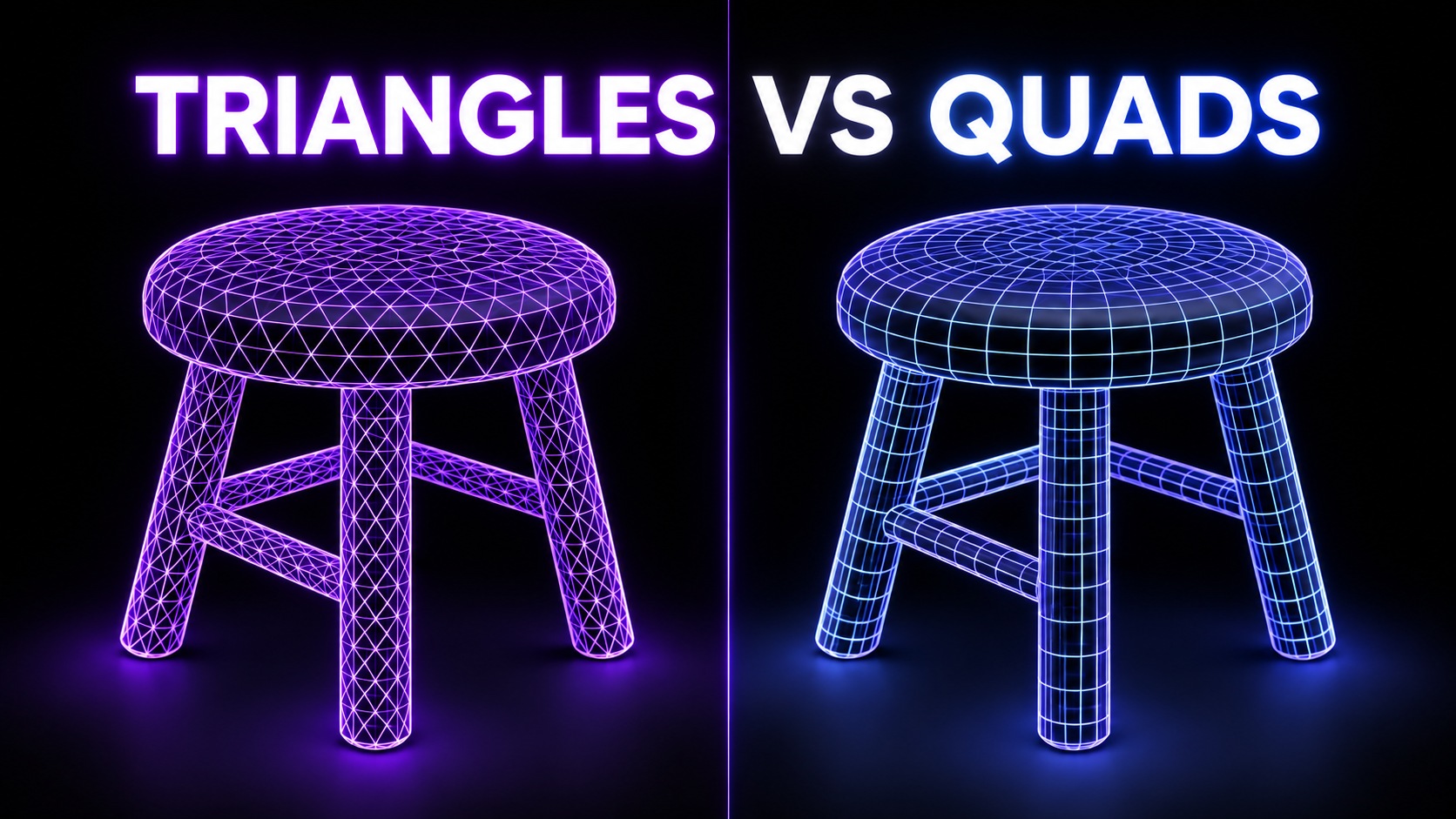
| Feature | Triangles (Tris) | Quads (Quadrilaterals) |
|---|---|---|
| Editing & Subdivision | Can cause pinching or artifacts when smoothed. | Subdivides cleanly and predictably. |
| Deformation (Animation) | Poor deformation; edge flow is often chaotic. | Excellent deformation; supports clean edge loops. |
| Detail Expression | Highly efficient for raw surface details and scans. | Requires more careful planning for intricate details. |
| Common Use Cases | Game engines, 3D printing, static props. | Character animation, sculpting, architectural visualization. |
Triangles are the fundamental rendering units for graphic cards. You should choose Triangles when creating static props, background assets, or display models where topology does not need to deform. Additionally, if you are prototyping for SLA/FDM 3D printing, export formats like .stl automatically triangulate your mesh, making Triangles the native choice for raw output.
Quads are the industry standard for characters and objects that require movement. You should choose Quads when you need to rig a character for animation, perform complex surface adjustments, or continue modeling using Subdivision Surfaces (SubD). Quads allow for organized edge loops, ensuring the mesh bends naturally at joints without distortion.
Face count directly impacts the silhouette, detail resolution, and file complexity of your 3D asset. A higher face count captures finer details but increases file size and rendering time. Conversely, a lower face count is optimized for performance but might lose subtle curves. When generating meshes, do not judge quality solely by face count; a well-structured Quad mesh with fewer faces can often look better and deform more naturally than a high-poly, chaotic Triangle mesh.
In Neural4D, you have complete control over your generated topology whether you are using Text to 3D or Image to 3D features.
| Select Topology | In the generation settings, locate the Topology dropdown and choose either Triangle or Quad. |
| Set Target Face Count | Adjust the slider to set your desired polygon count depending on your performance budget. |
| Generate | Click Generate to let the AI build the 3D model with your specified mesh structure. |
| Inspect the Result | Use the built-in wireframe viewer to verify the edge flow and polygon density. |
Before exporting your asset for its final destination, perform a quick quality check. If exporting for animation, verify that the edge lines flow cleanly around joints (shoulders, knees, eyes). If exporting for 3D printing, ensure the model is perfectly closed (watertight) with no holes or non-manifold geometry, regardless of whether you used Quads or Triangles.
No. While Quads are generally preferred for modeling, sculpting, and animation due to their predictable edge flow, Triangles are perfectly fine for static objects, game engine rendering, and 3D printing. The "better" topology depends entirely on your project's next steps.
Game engines like Unreal Engine and Unity automatically triangulate all Quad meshes upon import. The graphics hardware only understands triangles. However, artists still build in Quads first to bake normal maps cleanly and animate characters smoothly before exporting to the engine.
Yes, standard 3D printing formats like .stl only support triangular polygons. Slicer software converts these triangles into G-code layers. If you export a Quad mesh to STL, your 3D software will automatically triangulate it during the export process.
%22%3E%3Cg%3E%3Cpath%20d%3D%22M14.22126%2C2L16.980341%2C2L10.922359%2C8.365314L18%2C17.000000999999997L12.44585%2C17.000000999999997L8.0973005%2C11.7527676L3.1189604%2C17.000000999999997L0.35988006%2C17.000000999999997L6.7777414%2C10.1918821L0%2C2L5.6921029%2C2L9.6207924%2C6.7933583L14.22126%2C2ZM13.255582%2C15.505536L14.785071%2C15.505536L4.88837%2C3.4391145L3.2449181%2C3.4391145L13.255582%2C15.505536Z%22%20fill%3D%22%23ffffff%22%20fill-opacity%3D%221%22%20style%3D%22mix-blend-mode%3Apassthrough%22%2F%3E%3C%2Fg%3E%3C%2Fg%3E%3C%2Fsvg%3E)
%22%3E%3Cg%3E%3Cg%3E%3Cpath%20d%3D%22M17.776579953674315%2C4.238972914697266C18.530987953674316%2C2.8357112146972656%2C17.668764953674316%2C1.0000038146972656%2C17.668764953674316%2C1.0000038146972656C15.728984953674317%2C1.0000038146972656%2C14.327326953674316%2C2.2953194146972655%2C14.327326953674316%2C2.2953194146972655C13.572919953674317%2C1.8635447646972656%2C11.093512553674316%2C1.8635447646972656%2C11.093512553674316%2C1.8635447646972656C11.093512553674316%2C1.8635447646972656%2C8.614197253674316%2C1.8635447646972656%2C7.859790753674316%2C2.2953194146972655C7.859790753674316%2C2.2953194146972655%2C6.4587898536743165%2C1.0000038146972656%2C4.518257353674317%2C1.0000038146972656C4.518257353674317%2C1.0000038146972656%2C3.6561312536743165%2C2.8350313146972654%2C4.410538953674316%2C4.238972914697266C4.410538953674316%2C4.238972914697266%2C2.6862124236743163%2C5.858135714697266%2C3.332825653674316%2C9.312969214697265C3.9408041536743164%2C12.559363814697265%2C6.782133553674316%2C13.415479814697266%2C8.614197253674316%2C13.415479814697266C8.614197253674316%2C13.415479814697266%2C7.859790753674316%2C14.063154814697265%2C7.967603653674316%2C15.142524814697266C7.967603653674316%2C15.142524814697266%2C6.889853453674316%2C15.790198814697266%2C5.812196053674317%2C15.358415814697265C4.734538553674316%2C14.926723814697265%2C4.1956536536743165%2C13.847263814697266%2C4.1956536536743165%2C13.847263814697266C4.1956536536743165%2C13.847263814697266%2C3.1179590536743165%2C12.443964814697265%2C2.0402743556743164%2C12.983694814697266C2.0402743556743164%2C12.983694814697266%2C1.7169677936743164%2C13.307532814697266%2C2.9024282136743165%2C13.847263814697266C2.9024282136743165%2C13.847263814697266%2C3.7645722536743165%2C15.142524814697266%2C4.087878753674316%2C15.898144814697266C4.411195253674316%2C16.653767814697268%2C6.135446553674316%2C17.301444814697266%2C7.860446953674316%2C16.869661814697267L7.860446953674316%2C19.352327814697265C7.860446953674316%2C19.352327814697265%2C7.860446953674316%2C19.568219814697265%2C7.4293847536743165%2C19.676166814697265C6.998322453674317%2C19.784110814697264%2C6.998322453674317%2C20.000003814697266%2C7.213853853674316%2C20.000003814697266L14.974576953674317%2C20.000003814697266C15.190109953674316%2C20.000003814697266%2C15.190109953674316%2C19.784110814697264%2C14.759046953674316%2C19.676166814697265C14.327983953674316%2C19.568219814697265%2C14.327983953674316%2C19.352327814697265%2C14.327983953674316%2C19.352327814697265L14.327983953674316%2C16.869661814697267C14.327983953674316%2C16.869661814697267%2C14.337451953674316%2C15.575053814697265%2C14.327983953674316%2C15.142524814697266C14.304263953674317%2C14.057753814697266%2C13.573576953674316%2C13.415479814697266%2C13.573576953674316%2C13.415479814697266C15.405640953674316%2C13.415479814697266%2C18.246925953674317%2C12.559363814697265%2C18.854893953674317%2C9.312969214697265C19.501579953674316%2C5.858135714697266%2C17.777234953674316%2C4.238972914697266%2C17.776579953674315%2C4.238972914697266L17.776579953674315%2C4.238972914697266Z%22%20fill%3D%22%23ffffff%22%20fill-opacity%3D%221%22%20style%3D%22mix-blend-mode%3Apassthrough%22%2F%3E%3C%2Fg%3E%3C%2Fg%3E%3C%2Fg%3E%3C%2Fsvg%3E)


%22%2F%3E%3C%2Fsvg%3E)

%22%2F%3E%3C%2Fsvg%3E)