

Turn text prompts into 3D Printable OBJ Files instantly.
Convert text prompts into 3D printable OBJ files in seconds. Powered by the Direct3D-S2 engine, our AI text to OBJ generator produces 100% watertight, manifold triangular meshes with full MTL material support. No manual mesh repair or retopology required.
What is a Text to OBJ generator? It is a machine learning tool that interprets natural language prompts to construct complex 3D geometry, outputting a standard .obj file complete with vertices, normals, and a corresponding .mtl material library. Neural4D ensures structural integrity across all professional applications.

Generate fully closed, watertight meshes. Say goodbye to slicer errors and non-manifold edges in your high-precision SLA or FDM 3D printing workflow.

Rapidly prototype static props, environments, and background assets. The universally compatible OBJ format easily imports into Unity, Unreal Engine, and Blender.

Create accurate physical models for ArchViz. Our SSA-S2 volumetric inference guarantees precise physical volume and dimensions for rendering engines.

Produce highly detailed custom engineering mockups. The high-density triangular topology captures every intricate detail of your design concept.
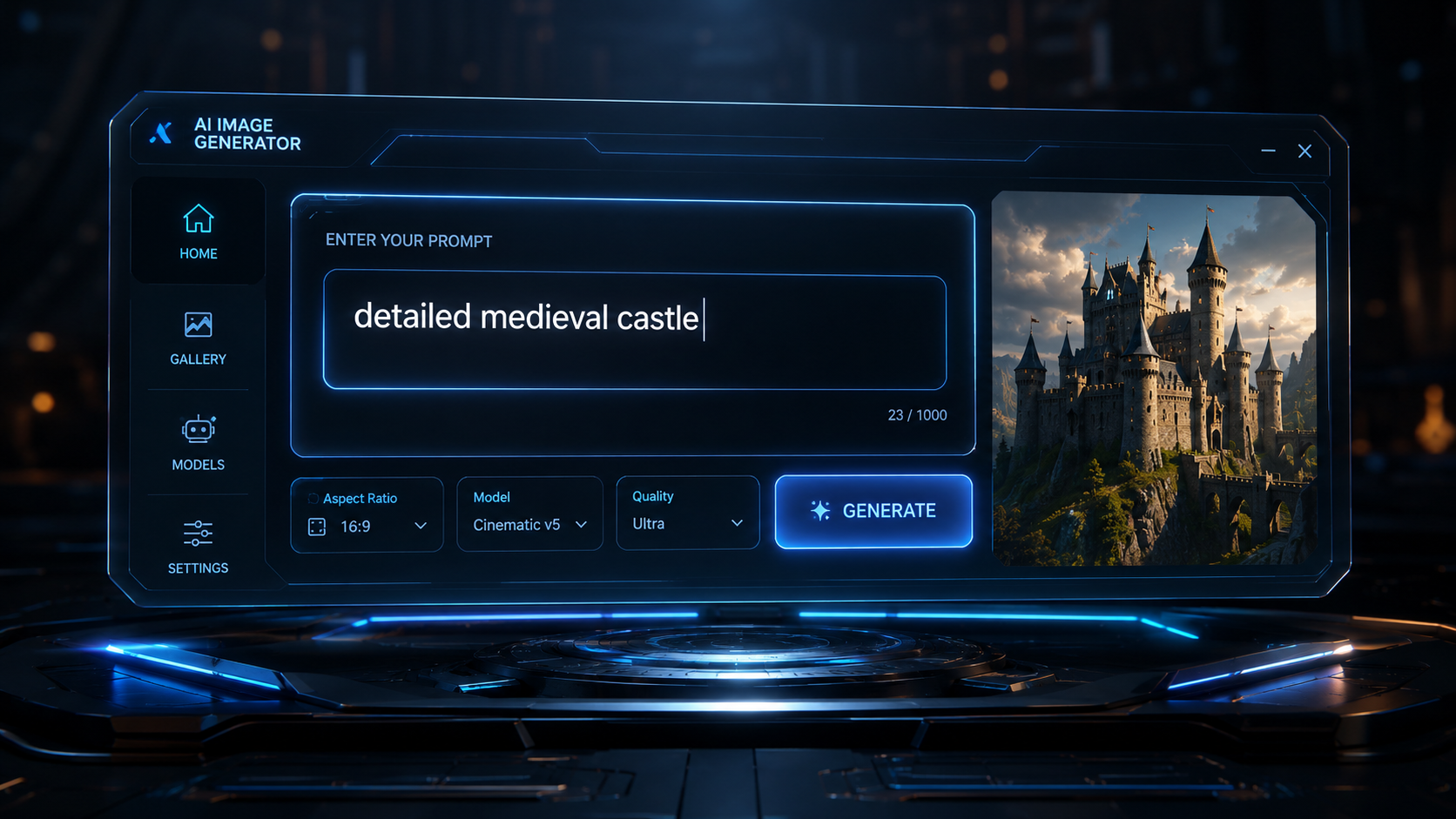
Type a descriptive text prompt detailing your desired object in the Neural4D Studio. Our advanced NLP engine understands complex geometric requests, materials, and stylistic nuances.
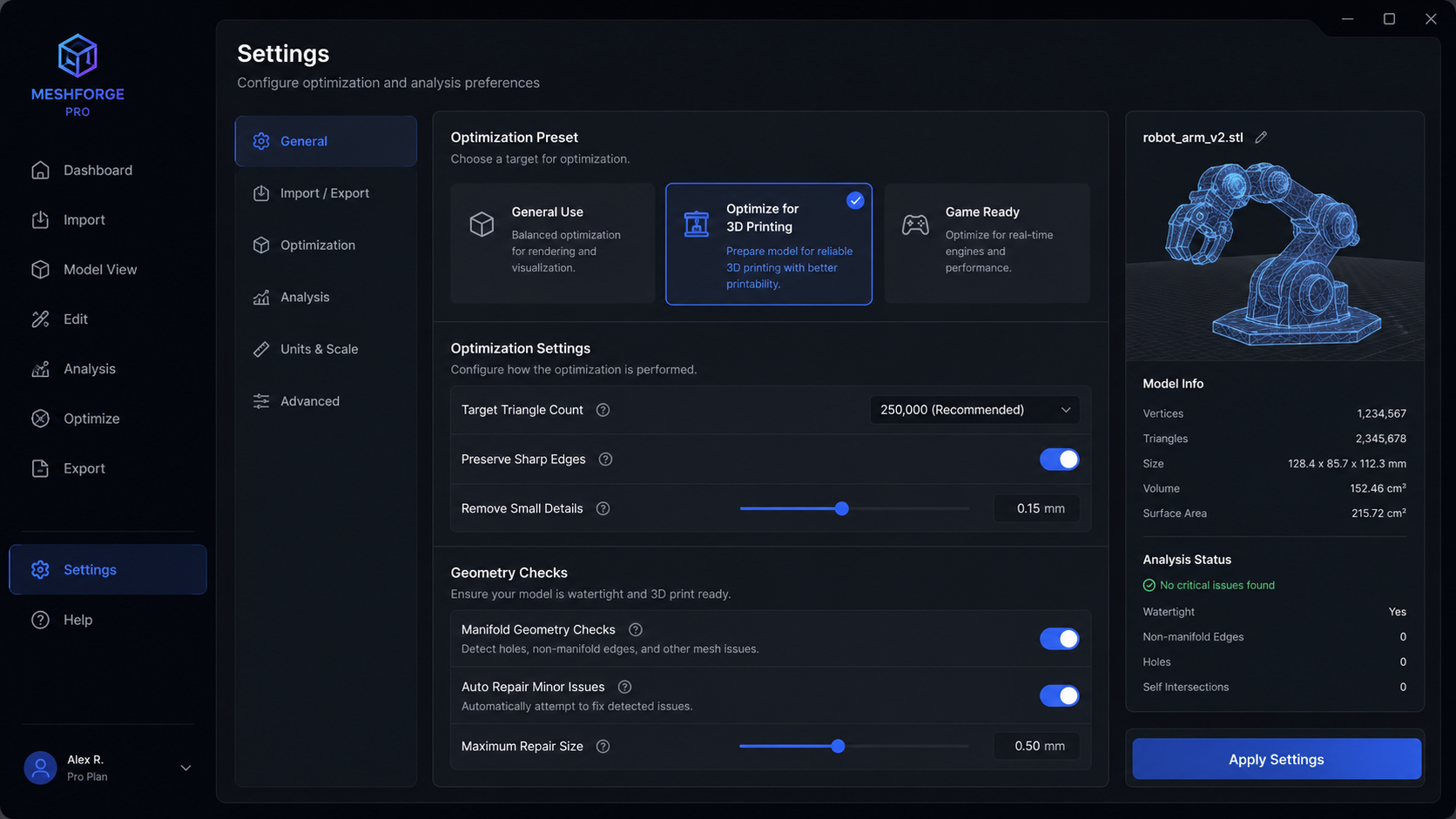
Select 'Optimize for 3D Printing' to enforce strict manifold geometry checks. This guarantees a fully closed mesh with no non-manifold edges before the generation process begins.
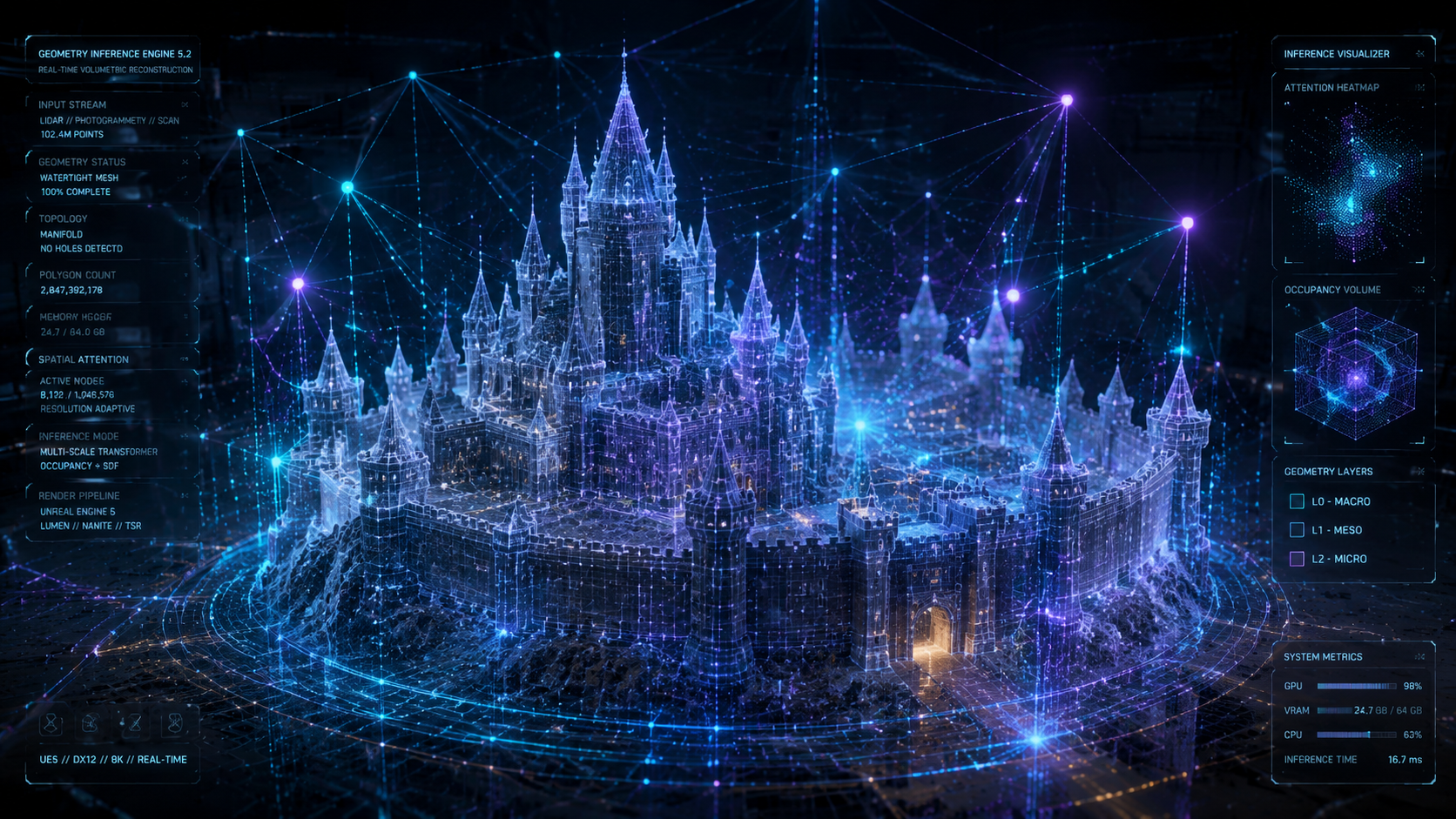
Our Direct3D-S2 engine processes the input. Spatial Sparse Attention ensures that thin parts, joints, and critical mechanical features are accurately reconstructed without structural weaknesses.
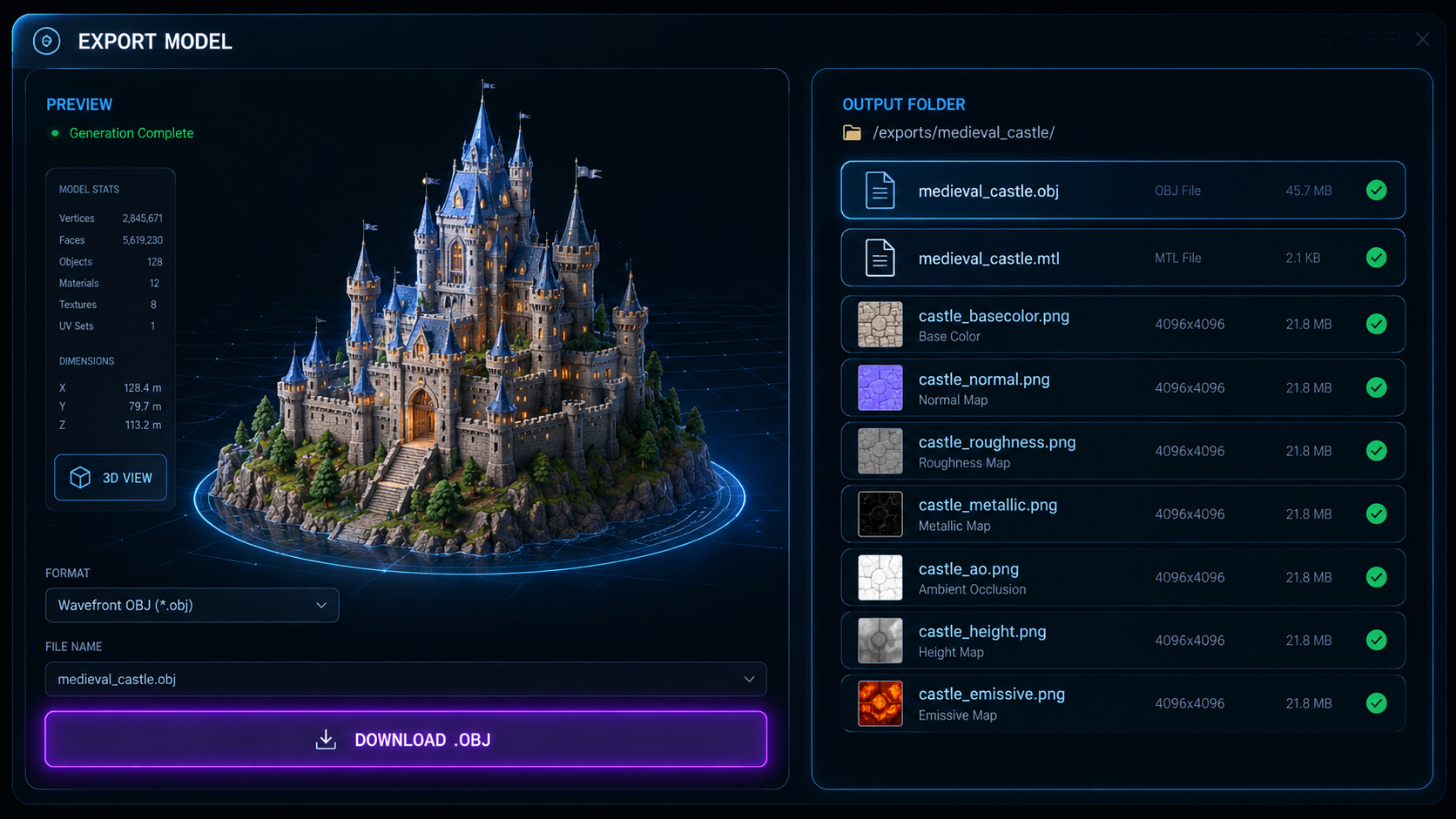
Review your generated 3D model. Click 'Export' and select the .obj format to download the watertight geometry file along with its companion .mtl material library and texture maps.

A Text to OBJ generator is an AI tool that translates natural language prompts into fully realized 3D models in the OBJ file format. Neural4D utilizes the Direct3D-S2 engine for volumetric inference, creating a high-density triangular mesh and an accompanying MTL file for materials based entirely on your text description.
Yes. Whenever you export an OBJ file from the Neural4D Studio, the system automatically generates and packages the corresponding .mtl (Material Template Library) file and any necessary PBR texture maps in a standard ZIP archive.
Absolutely. The Direct3D-S2 engine is designed to output 100% closed, manifold geometry. This ensures that the resulting OBJ files are watertight and can be imported directly into slicer software without requiring manual mesh repair.
Currently, our system generates high-density triangular meshes. This topology is optimized for physical precision, capturing intricate details perfectly suited for additive manufacturing and industrial prototyping.
Yes, OBJ is a universally supported format. The meshes generated by Neural4D can be imported into game engines like Unity and Unreal Engine, as well as DCC software like Blender and Maya, for use as static props or environment assets.

'%3e%3cg%3e%3cpath%20d='M14.22126,2L16.980341,2L10.922359,8.365314L18,17.000000999999997L12.44585,17.000000999999997L8.0973005,11.7527676L3.1189604,17.000000999999997L0.35988006,17.000000999999997L6.7777414,10.1918821L0,2L5.6921029,2L9.6207924,6.7933583L14.22126,2ZM13.255582,15.505536L14.785071,15.505536L4.88837,3.4391145L3.2449181,3.4391145L13.255582,15.505536Z'%20fill='%23ffffff'%20fill-opacity='1'%20style='mix-blend-mode:passthrough'/%3e%3c/g%3e%3c/g%3e%3c/svg%3e)
'%3e%3cg%3e%3cg%3e%3cpath%20d='M17.776579953674315,4.238972914697266C18.530987953674316,2.8357112146972656,17.668764953674316,1.0000038146972656,17.668764953674316,1.0000038146972656C15.728984953674317,1.0000038146972656,14.327326953674316,2.2953194146972655,14.327326953674316,2.2953194146972655C13.572919953674317,1.8635447646972656,11.093512553674316,1.8635447646972656,11.093512553674316,1.8635447646972656C11.093512553674316,1.8635447646972656,8.614197253674316,1.8635447646972656,7.859790753674316,2.2953194146972655C7.859790753674316,2.2953194146972655,6.4587898536743165,1.0000038146972656,4.518257353674317,1.0000038146972656C4.518257353674317,1.0000038146972656,3.6561312536743165,2.8350313146972654,4.410538953674316,4.238972914697266C4.410538953674316,4.238972914697266,2.6862124236743163,5.858135714697266,3.332825653674316,9.312969214697265C3.9408041536743164,12.559363814697265,6.782133553674316,13.415479814697266,8.614197253674316,13.415479814697266C8.614197253674316,13.415479814697266,7.859790753674316,14.063154814697265,7.967603653674316,15.142524814697266C7.967603653674316,15.142524814697266,6.889853453674316,15.790198814697266,5.812196053674317,15.358415814697265C4.734538553674316,14.926723814697265,4.1956536536743165,13.847263814697266,4.1956536536743165,13.847263814697266C4.1956536536743165,13.847263814697266,3.1179590536743165,12.443964814697265,2.0402743556743164,12.983694814697266C2.0402743556743164,12.983694814697266,1.7169677936743164,13.307532814697266,2.9024282136743165,13.847263814697266C2.9024282136743165,13.847263814697266,3.7645722536743165,15.142524814697266,4.087878753674316,15.898144814697266C4.411195253674316,16.653767814697268,6.135446553674316,17.301444814697266,7.860446953674316,16.869661814697267L7.860446953674316,19.352327814697265C7.860446953674316,19.352327814697265,7.860446953674316,19.568219814697265,7.4293847536743165,19.676166814697265C6.998322453674317,19.784110814697264,6.998322453674317,20.000003814697266,7.213853853674316,20.000003814697266L14.974576953674317,20.000003814697266C15.190109953674316,20.000003814697266,15.190109953674316,19.784110814697264,14.759046953674316,19.676166814697265C14.327983953674316,19.568219814697265,14.327983953674316,19.352327814697265,14.327983953674316,19.352327814697265L14.327983953674316,16.869661814697267C14.327983953674316,16.869661814697267,14.337451953674316,15.575053814697265,14.327983953674316,15.142524814697266C14.304263953674317,14.057753814697266,13.573576953674316,13.415479814697266,13.573576953674316,13.415479814697266C15.405640953674316,13.415479814697266,18.246925953674317,12.559363814697265,18.854893953674317,9.312969214697265C19.501579953674316,5.858135714697266,17.777234953674316,4.238972914697266,17.776579953674315,4.238972914697266L17.776579953674315,4.238972914697266Z'%20fill='%23ffffff'%20fill-opacity='1'%20style='mix-blend-mode:passthrough'/%3e%3c/g%3e%3c/g%3e%3c/g%3e%3c/svg%3e)


