

Neural4D's Multi-View to 3D engine allows modelers and designers to instantly reconstruct watertight, high-density triangular meshes from up to six orthogonal camera angles. Achieve millimeter-level geometric precision with full Physical Based Rendering textures, entirely inside your browser.
What is Multi-View to 3D? It is an advanced AI-powered reconstruction engine that transforms multiple flat images captured from orthogonal angles into a unified, watertight 3D model. Unlike single-view estimation, our Direct3D-S2 architecture reconciles depth and texture details from six coordinates, eliminating geometric blind spots.
The Direct3D-S2 engine outputs contiguous, closed triangular meshes. This ensures complete geometry with zero non-manifold edges, making files instantly ready for 3D slicing and printing.

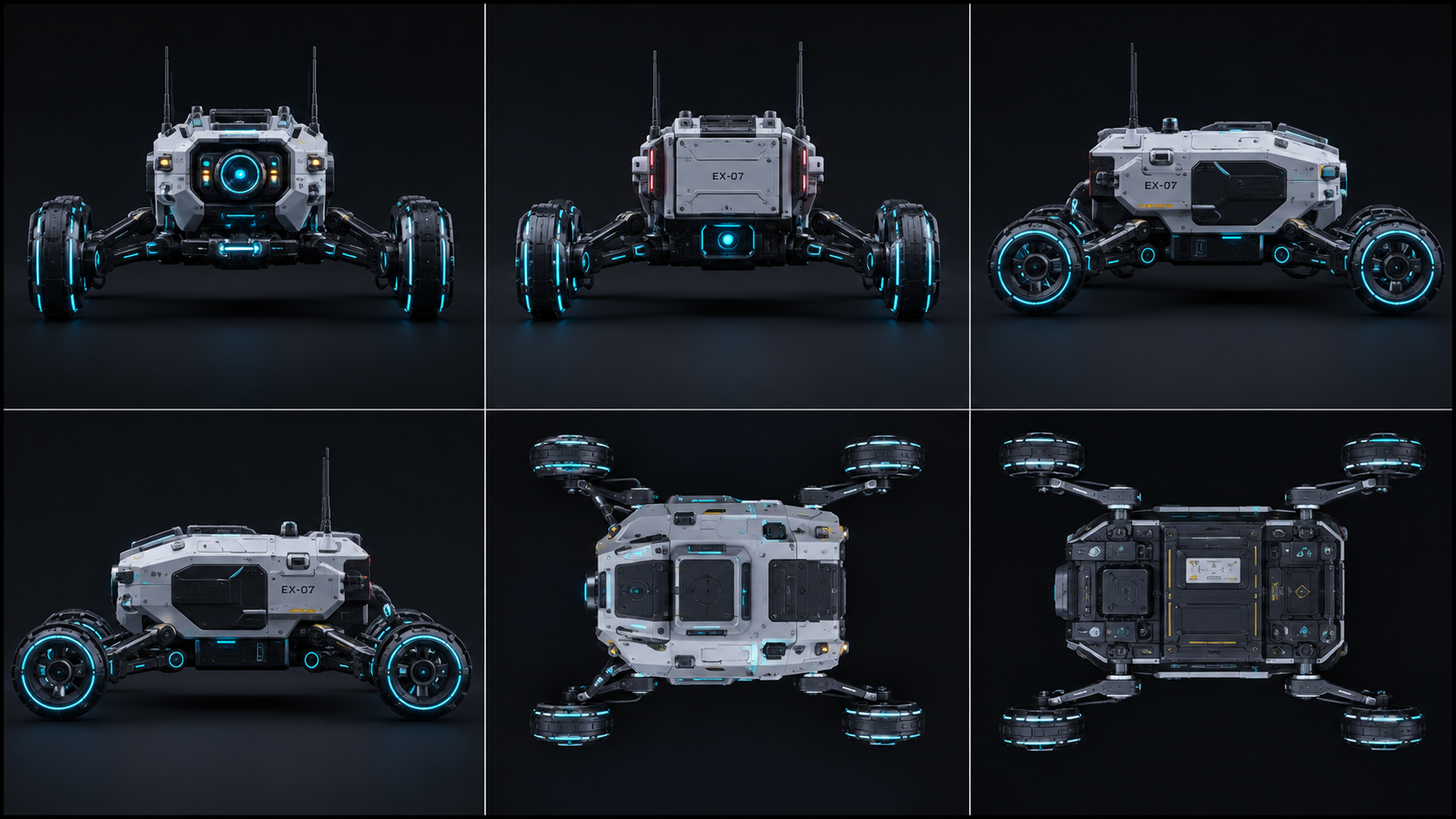
Upload up to six angles (Front, Back, Left, Right, Top, Bottom). The spatial attention mechanism resolves overlapping features to reconstruct precise dimensions.

Textures are projected from each source photo onto a single UV coordinate map. Export models with high-fidelity color, metallic, and roughness properties.
Compare the technical differences between single-angle inference and multi-angle reconstruction under the Direct3D-S2 engine.
Position your target object under uniform lighting. Capture up to six reference photos corresponding to the orthogonal angles (front, back, left, right, top, and bottom), then upload them to Neural4D Studio.
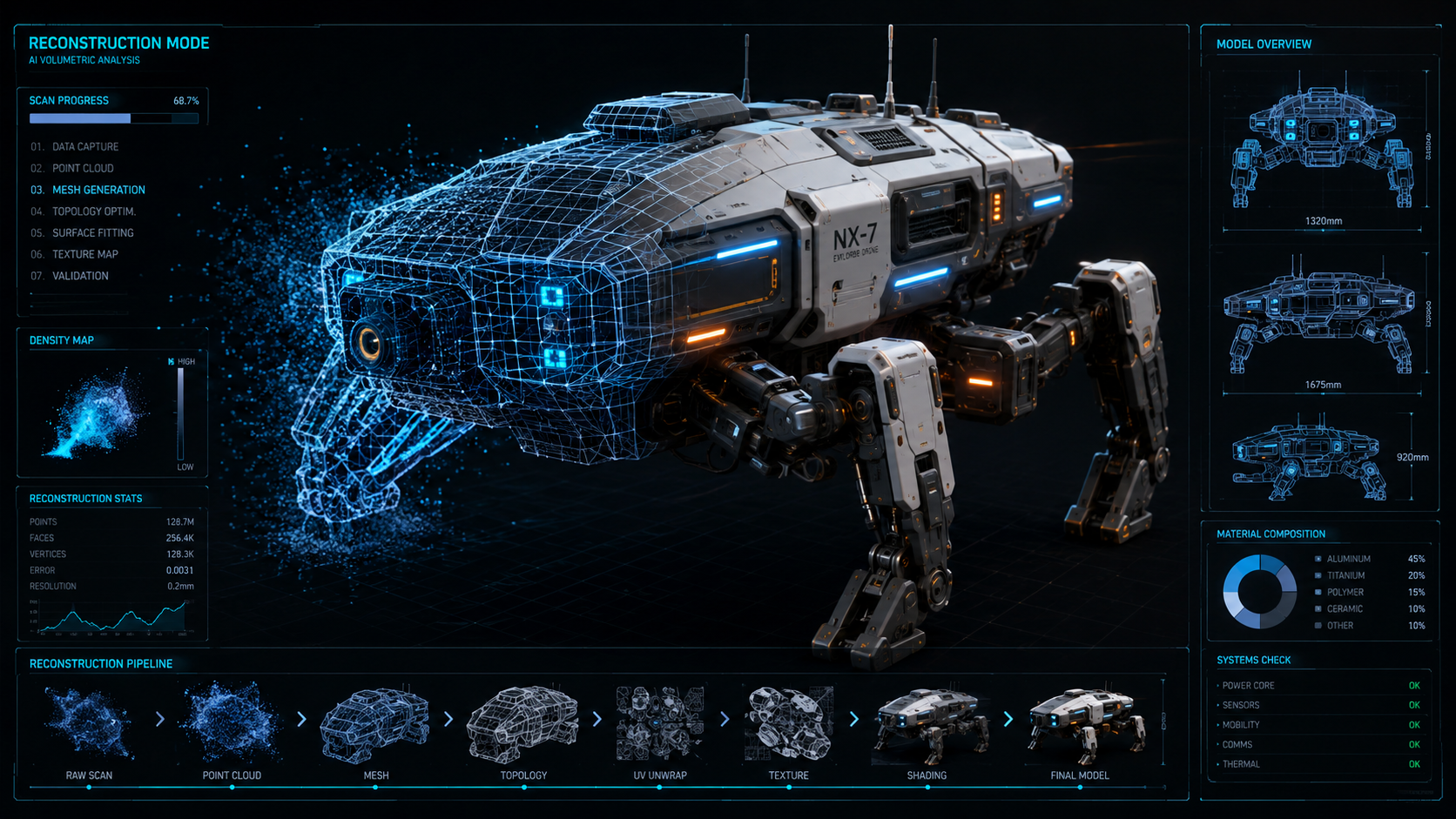
The Direct3D-S2 engine processes the images. It correlates spatial details across opposing angles using sparse cross-attention, building a watertight mesh and projecting the surface colors.
Preview the finished 3D model in the interactive browser viewer. Export the asset as a watertight .STL file for direct 3D printing, or as .FBX or .GLB with PBR materials for development.
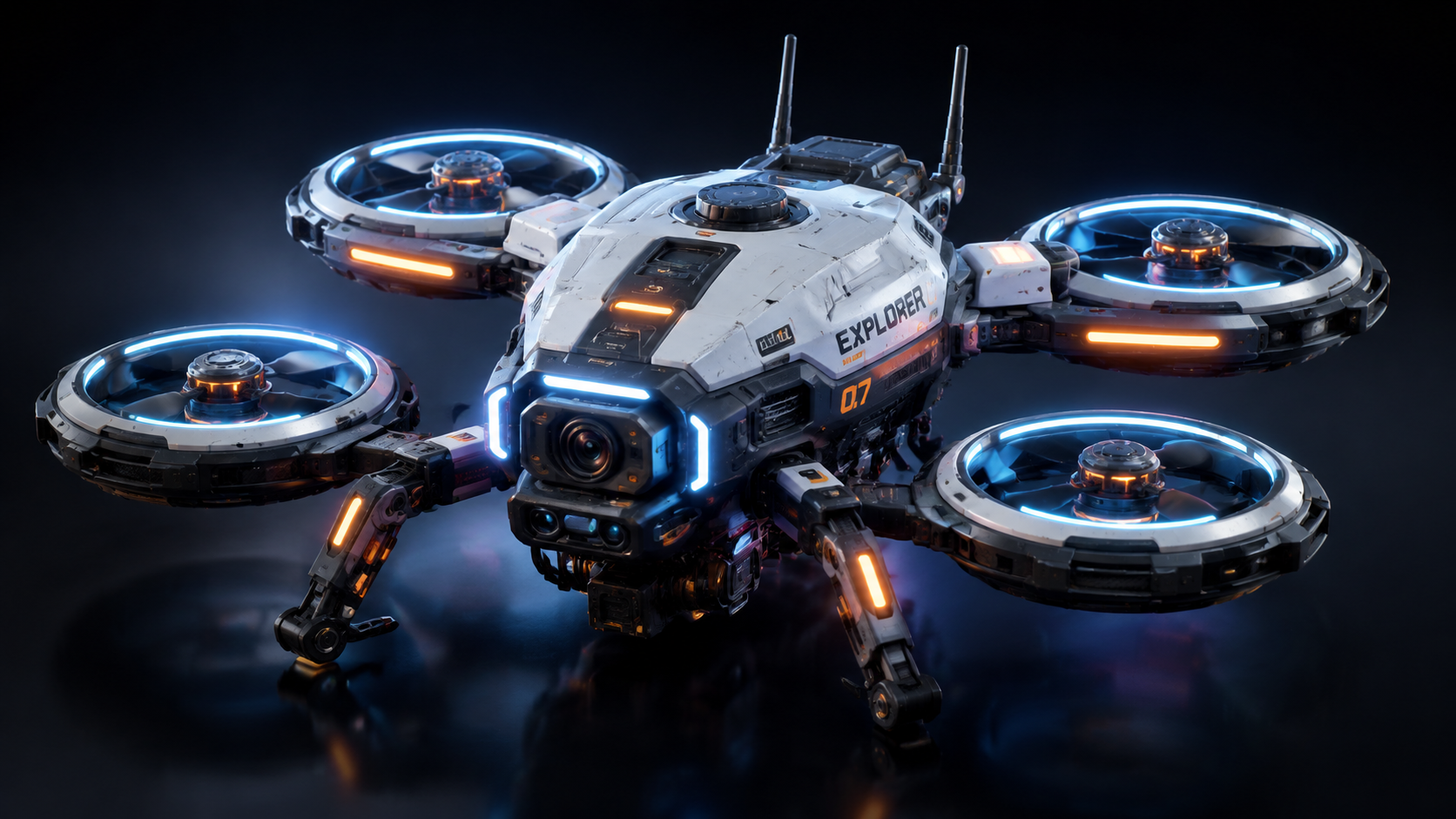

Multi-View to 3D is an AI-powered reconstruction engine in Neural4D Studio that generates complete 3D models from up to six reference photos. By processing images from orthogonal angles (Front, Back, Left, Right, Top, and Bottom) using the Direct3D-S2 engine, the algorithm creates geometrically accurate meshes without estimation errors.
Single-image reconstruction must estimate the back, sides, and underside of an object, which can lead to inaccuracies. Multi-View to 3D processes photos from multiple perspectives, allowing the engine to directly read and reconstruct the exact physical dimensions and geometry, eliminating estimation seams.
You can export your generated models directly as .fbx, .glb, or .stl files. The exported files include full PBR texture support across all six surfaces, ensuring compatibility with Blender, Unity, Unreal Engine, CAD software, and 3D printing slicers.
Yes. The Direct3D-S2 engine resolves depth data across opposing angle views to produce a watertight, closed mesh. The output can be imported directly into slicing software without manual editing or stitching.
No. You can capture the photos using a standard smartphone camera. Simply position the object and capture images from the key orthogonal angles (front, back, sides, top, and bottom) under uniform lighting, then upload them to the Studio.

'%3e%3cg%3e%3cpath%20d='M14.22126,2L16.980341,2L10.922359,8.365314L18,17.000000999999997L12.44585,17.000000999999997L8.0973005,11.7527676L3.1189604,17.000000999999997L0.35988006,17.000000999999997L6.7777414,10.1918821L0,2L5.6921029,2L9.6207924,6.7933583L14.22126,2ZM13.255582,15.505536L14.785071,15.505536L4.88837,3.4391145L3.2449181,3.4391145L13.255582,15.505536Z'%20fill='%23ffffff'%20fill-opacity='1'%20style='mix-blend-mode:passthrough'/%3e%3c/g%3e%3c/g%3e%3c/svg%3e)
'%3e%3cg%3e%3cg%3e%3cpath%20d='M17.776579953674315,4.238972914697266C18.530987953674316,2.8357112146972656,17.668764953674316,1.0000038146972656,17.668764953674316,1.0000038146972656C15.728984953674317,1.0000038146972656,14.327326953674316,2.2953194146972655,14.327326953674316,2.2953194146972655C13.572919953674317,1.8635447646972656,11.093512553674316,1.8635447646972656,11.093512553674316,1.8635447646972656C11.093512553674316,1.8635447646972656,8.614197253674316,1.8635447646972656,7.859790753674316,2.2953194146972655C7.859790753674316,2.2953194146972655,6.4587898536743165,1.0000038146972656,4.518257353674317,1.0000038146972656C4.518257353674317,1.0000038146972656,3.6561312536743165,2.8350313146972654,4.410538953674316,4.238972914697266C4.410538953674316,4.238972914697266,2.6862124236743163,5.858135714697266,3.332825653674316,9.312969214697265C3.9408041536743164,12.559363814697265,6.782133553674316,13.415479814697266,8.614197253674316,13.415479814697266C8.614197253674316,13.415479814697266,7.859790753674316,14.063154814697265,7.967603653674316,15.142524814697266C7.967603653674316,15.142524814697266,6.889853453674316,15.790198814697266,5.812196053674317,15.358415814697265C4.734538553674316,14.926723814697265,4.1956536536743165,13.847263814697266,4.1956536536743165,13.847263814697266C4.1956536536743165,13.847263814697266,3.1179590536743165,12.443964814697265,2.0402743556743164,12.983694814697266C2.0402743556743164,12.983694814697266,1.7169677936743164,13.307532814697266,2.9024282136743165,13.847263814697266C2.9024282136743165,13.847263814697266,3.7645722536743165,15.142524814697266,4.087878753674316,15.898144814697266C4.411195253674316,16.653767814697268,6.135446553674316,17.301444814697266,7.860446953674316,16.869661814697267L7.860446953674316,19.352327814697265C7.860446953674316,19.352327814697265,7.860446953674316,19.568219814697265,7.4293847536743165,19.676166814697265C6.998322453674317,19.784110814697264,6.998322453674317,20.000003814697266,7.213853853674316,20.000003814697266L14.974576953674317,20.000003814697266C15.190109953674316,20.000003814697266,15.190109953674316,19.784110814697264,14.759046953674316,19.676166814697265C14.327983953674316,19.568219814697265,14.327983953674316,19.352327814697265,14.327983953674316,19.352327814697265L14.327983953674316,16.869661814697267C14.327983953674316,16.869661814697267,14.337451953674316,15.575053814697265,14.327983953674316,15.142524814697266C14.304263953674317,14.057753814697266,13.573576953674316,13.415479814697266,13.573576953674316,13.415479814697266C15.405640953674316,13.415479814697266,18.246925953674317,12.559363814697265,18.854893953674317,9.312969214697265C19.501579953674316,5.858135714697266,17.777234953674316,4.238972914697266,17.776579953674315,4.238972914697266L17.776579953674315,4.238972914697266Z'%20fill='%23ffffff'%20fill-opacity='1'%20style='mix-blend-mode:passthrough'/%3e%3c/g%3e%3c/g%3e%3c/g%3e%3c/svg%3e)


