

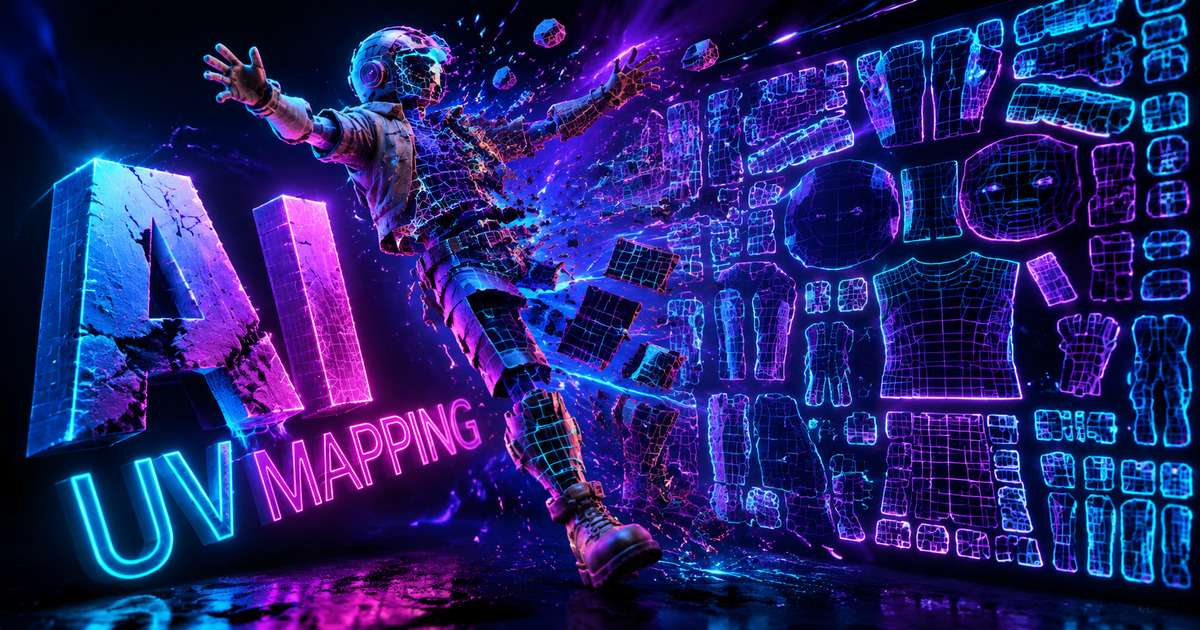
Stop wasting hours cutting seams and fixing stretched UV islands. The Direct3D-S2 engine natively outputs mathematically flawless UV maps perfectly aligned with your mesh topology, letting you focus on texturing and material creation.

Our algorithm intelligently analyzes the mesh curvature and automatically places seams in hidden areas. No more manual cutting or relaxing in Blender or Maya.
Maintains uniform pixel density across all UV islands. Say goodbye to distorted textures or blurry patches on complex organic or hard-surface models.

The UV layout is perfectly synchronized with our AI-generated Normal, Roughness, and Metallic maps. Export a game-ready .fbx or .glb immediately.

Drop your AI-generated model directly into Substance Painter. The UVs are pre-laid out efficiently, maximizing texture space and minimizing draw calls for Unreal and Unity.

Export watertight manifold meshes that not only print perfectly but also preserve high-fidelity texture data for full-color PolyJet and Binder Jetting 3D printers.

Generate UV-mapped .glb files ready for Shopify 3D viewers and WebAR. The efficient UV layout ensures high-resolution textures load instantly on mobile devices.

Apply complex wood grains, leathers, and fabrics perfectly. The automated UV mapping strictly follows the geometry, ensuring realistic material direction and scale.
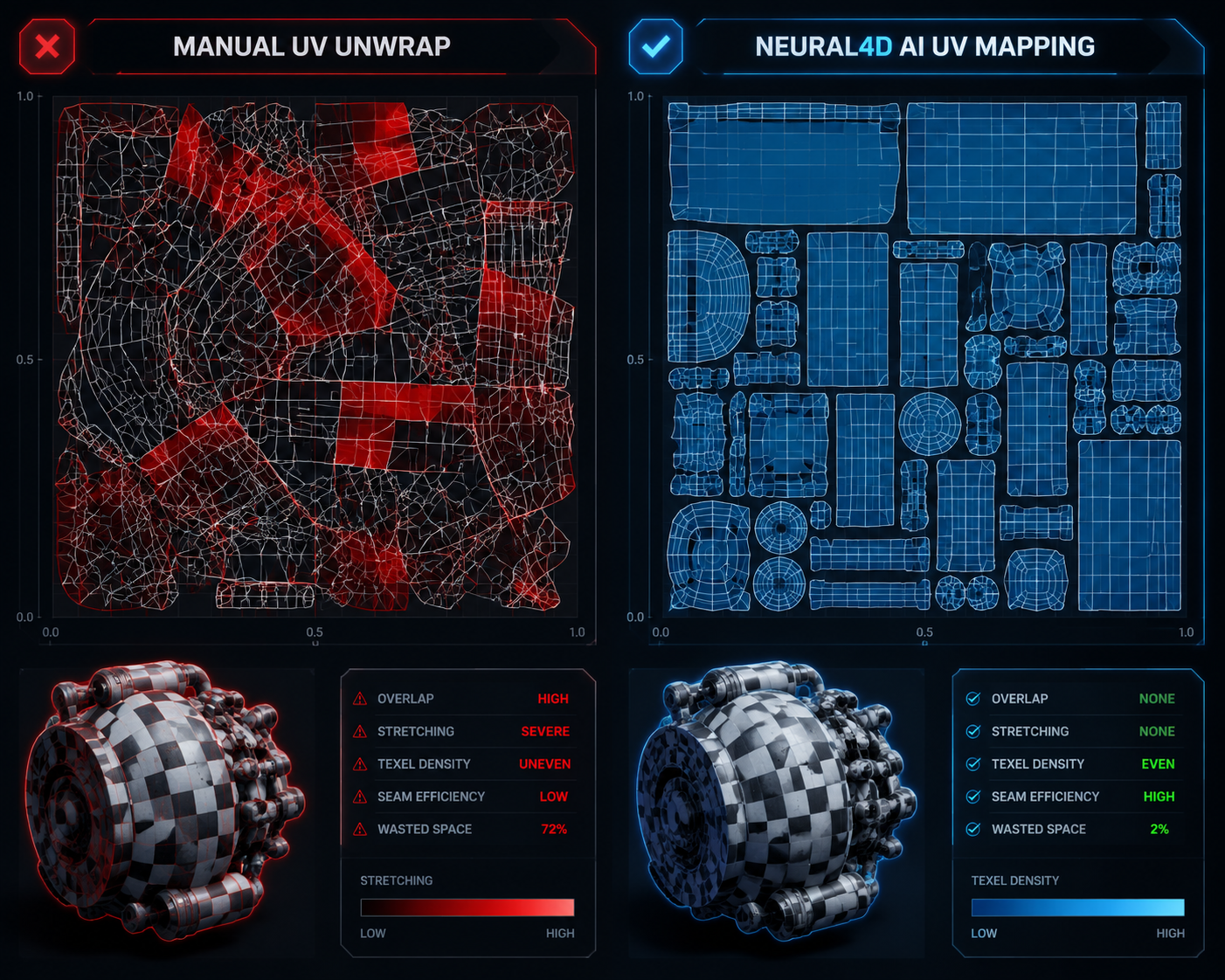
| Metric | Neural4D Direct3D-S2 | Traditional Manual Mapping |
|---|---|---|
| Seam Placement | Fully automated, hidden dynamically based on viewing angles | Manual edge selection, highly prone to human error |
| Time Required | Milliseconds (Processed natively during generation) | Hours of repetitive "unwrap and relax" cycles |
| UV Stretching | Zero distortion, uniform pixel density calculated via AI | Frequent stretching requiring manual island pinning |
| Resolution Support | Natively maps 2048³ high-density triangular mesh | Slows down exponentially on high-poly counts |

Yes. The Direct3D-S2 engine generates universal UV maps compatible with Blender, Unreal Engine, Unity, and Substance Painter. The mapping is natively embedded in the exported .fbx, .glb, and .obj files.
Absolutely. Because we export clean geometry with non-overlapping islands, you can import the model into any standard 3D software and tweak the UV layout if necessary for highly specific texture requirements.
Our algorithm analyzes the 3D topology and smartly hides seams in natural crevices, joints, or the back of the object, ensuring they are virtually invisible when PBR textures are applied.
Yes. The AI maximizes texture space utilization and ensures adequate padding between islands to prevent texture bleeding, meeting the strict requirements of AAA game development pipelines.

'%3e%3cg%3e%3cpath%20d='M14.22126,2L16.980341,2L10.922359,8.365314L18,17.000000999999997L12.44585,17.000000999999997L8.0973005,11.7527676L3.1189604,17.000000999999997L0.35988006,17.000000999999997L6.7777414,10.1918821L0,2L5.6921029,2L9.6207924,6.7933583L14.22126,2ZM13.255582,15.505536L14.785071,15.505536L4.88837,3.4391145L3.2449181,3.4391145L13.255582,15.505536Z'%20fill='%23ffffff'%20fill-opacity='1'%20style='mix-blend-mode:passthrough'/%3e%3c/g%3e%3c/g%3e%3c/svg%3e)
'%3e%3cg%3e%3cg%3e%3cpath%20d='M17.776579953674315,4.238972914697266C18.530987953674316,2.8357112146972656,17.668764953674316,1.0000038146972656,17.668764953674316,1.0000038146972656C15.728984953674317,1.0000038146972656,14.327326953674316,2.2953194146972655,14.327326953674316,2.2953194146972655C13.572919953674317,1.8635447646972656,11.093512553674316,1.8635447646972656,11.093512553674316,1.8635447646972656C11.093512553674316,1.8635447646972656,8.614197253674316,1.8635447646972656,7.859790753674316,2.2953194146972655C7.859790753674316,2.2953194146972655,6.4587898536743165,1.0000038146972656,4.518257353674317,1.0000038146972656C4.518257353674317,1.0000038146972656,3.6561312536743165,2.8350313146972654,4.410538953674316,4.238972914697266C4.410538953674316,4.238972914697266,2.6862124236743163,5.858135714697266,3.332825653674316,9.312969214697265C3.9408041536743164,12.559363814697265,6.782133553674316,13.415479814697266,8.614197253674316,13.415479814697266C8.614197253674316,13.415479814697266,7.859790753674316,14.063154814697265,7.967603653674316,15.142524814697266C7.967603653674316,15.142524814697266,6.889853453674316,15.790198814697266,5.812196053674317,15.358415814697265C4.734538553674316,14.926723814697265,4.1956536536743165,13.847263814697266,4.1956536536743165,13.847263814697266C4.1956536536743165,13.847263814697266,3.1179590536743165,12.443964814697265,2.0402743556743164,12.983694814697266C2.0402743556743164,12.983694814697266,1.7169677936743164,13.307532814697266,2.9024282136743165,13.847263814697266C2.9024282136743165,13.847263814697266,3.7645722536743165,15.142524814697266,4.087878753674316,15.898144814697266C4.411195253674316,16.653767814697268,6.135446553674316,17.301444814697266,7.860446953674316,16.869661814697267L7.860446953674316,19.352327814697265C7.860446953674316,19.352327814697265,7.860446953674316,19.568219814697265,7.4293847536743165,19.676166814697265C6.998322453674317,19.784110814697264,6.998322453674317,20.000003814697266,7.213853853674316,20.000003814697266L14.974576953674317,20.000003814697266C15.190109953674316,20.000003814697266,15.190109953674316,19.784110814697264,14.759046953674316,19.676166814697265C14.327983953674316,19.568219814697265,14.327983953674316,19.352327814697265,14.327983953674316,19.352327814697265L14.327983953674316,16.869661814697267C14.327983953674316,16.869661814697267,14.337451953674316,15.575053814697265,14.327983953674316,15.142524814697266C14.304263953674317,14.057753814697266,13.573576953674316,13.415479814697266,13.573576953674316,13.415479814697266C15.405640953674316,13.415479814697266,18.246925953674317,12.559363814697265,18.854893953674317,9.312969214697265C19.501579953674316,5.858135714697266,17.777234953674316,4.238972914697266,17.776579953674315,4.238972914697266L17.776579953674315,4.238972914697266Z'%20fill='%23ffffff'%20fill-opacity='1'%20style='mix-blend-mode:passthrough'/%3e%3c/g%3e%3c/g%3e%3c/g%3e%3c/svg%3e)


